
Mostly SingleFull-stack developers
Hand the agent the bug, the endpoint, the migration. Review the diff, not the keystrokes.

For engineers who move with the times
Devpal is for IT professionals who don't stand still. One place where AI agents read, write, test, review and ship your code — from a five-minute fix to a product that keeps growing overnight. On your own computer, with the models you already pay for.
The signed desktop apps are on their way.

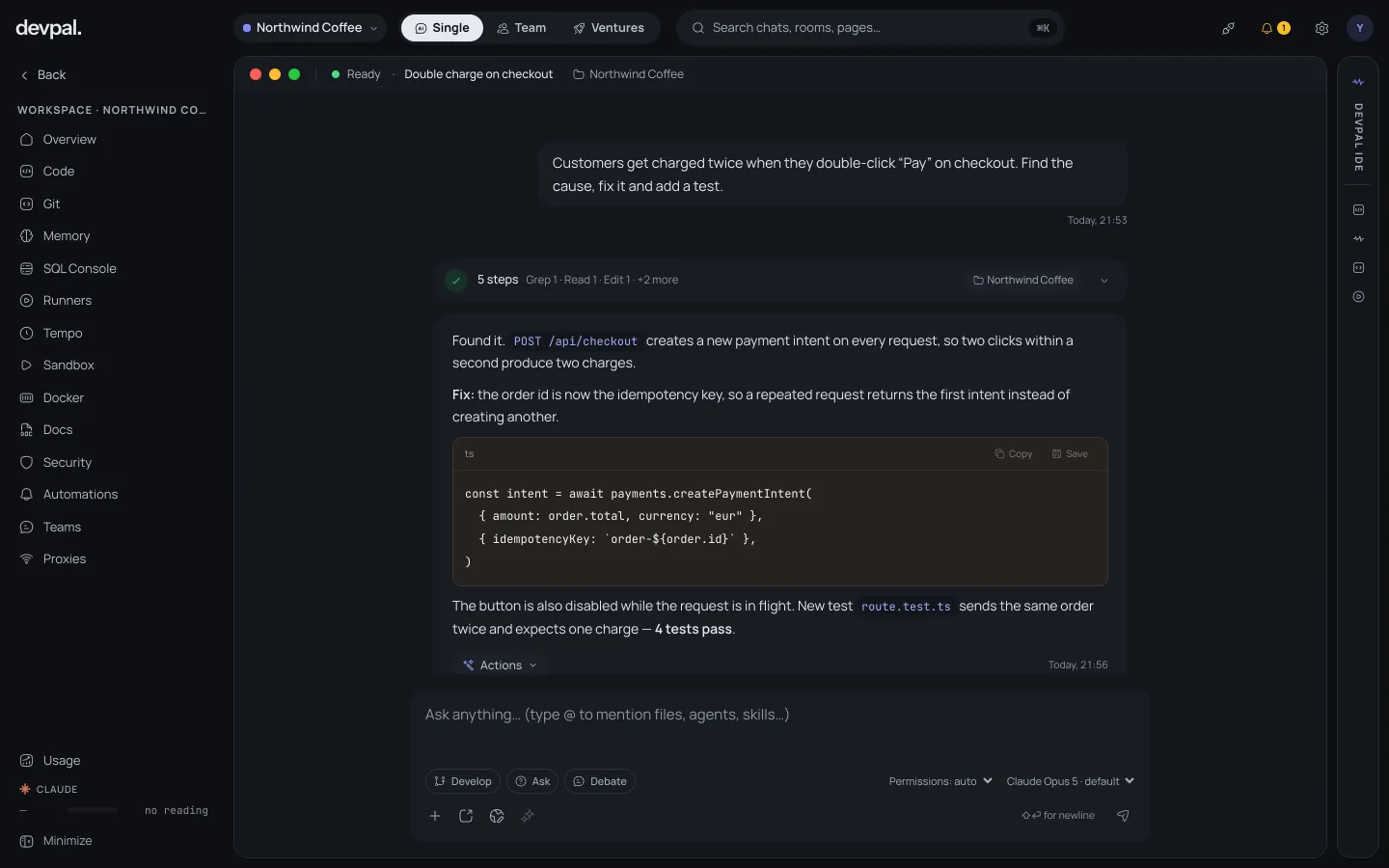
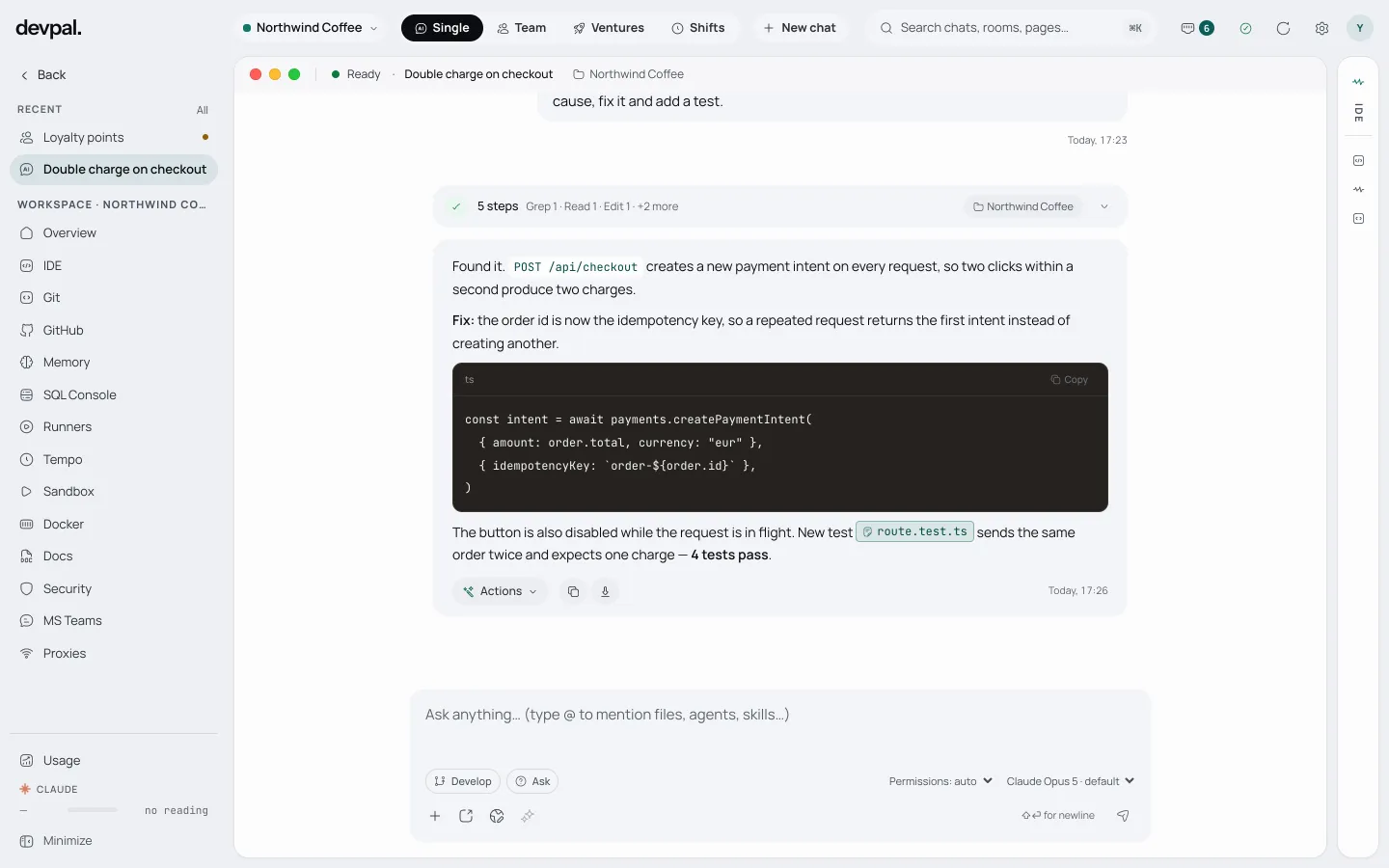
Customers get charged twice when the network is slow. Find it and fix it.
Read payments/charge.ts, api/checkout.ts
Found a retry that calls charge() a second time
Edited charge.ts +18 −4
Ran npm test · 48 passed
Fixed. A retry now reuses the idempotency key, so a slow network can't charge twice. I added a regression test for it.

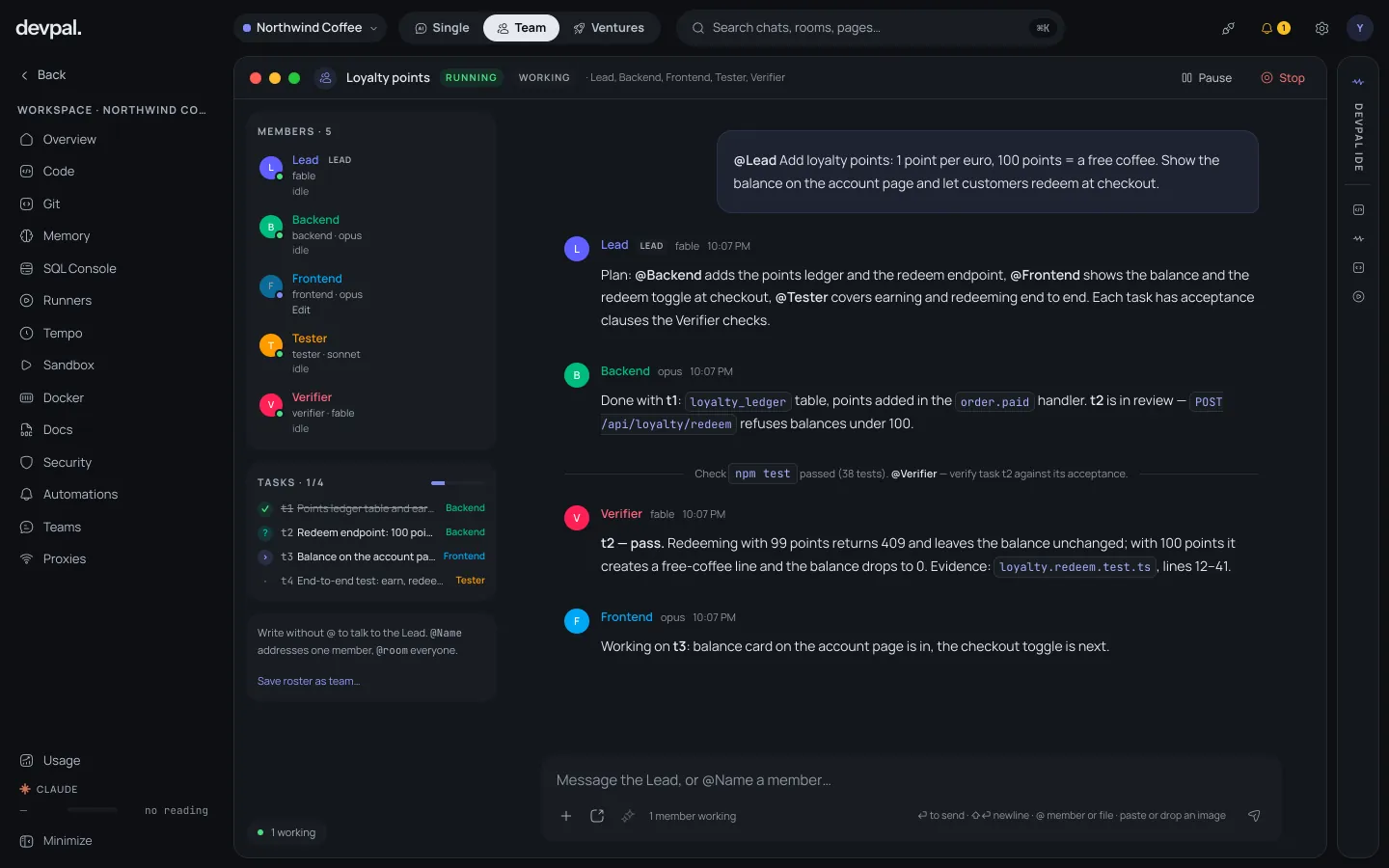
Jonas @Lead one-click reorder on the order page
Lead Plan: 3 tasks, acceptance on each
Tester 12 new tests pass
Lead Accepted. Committed to main.

Devpal HQ · Telegram
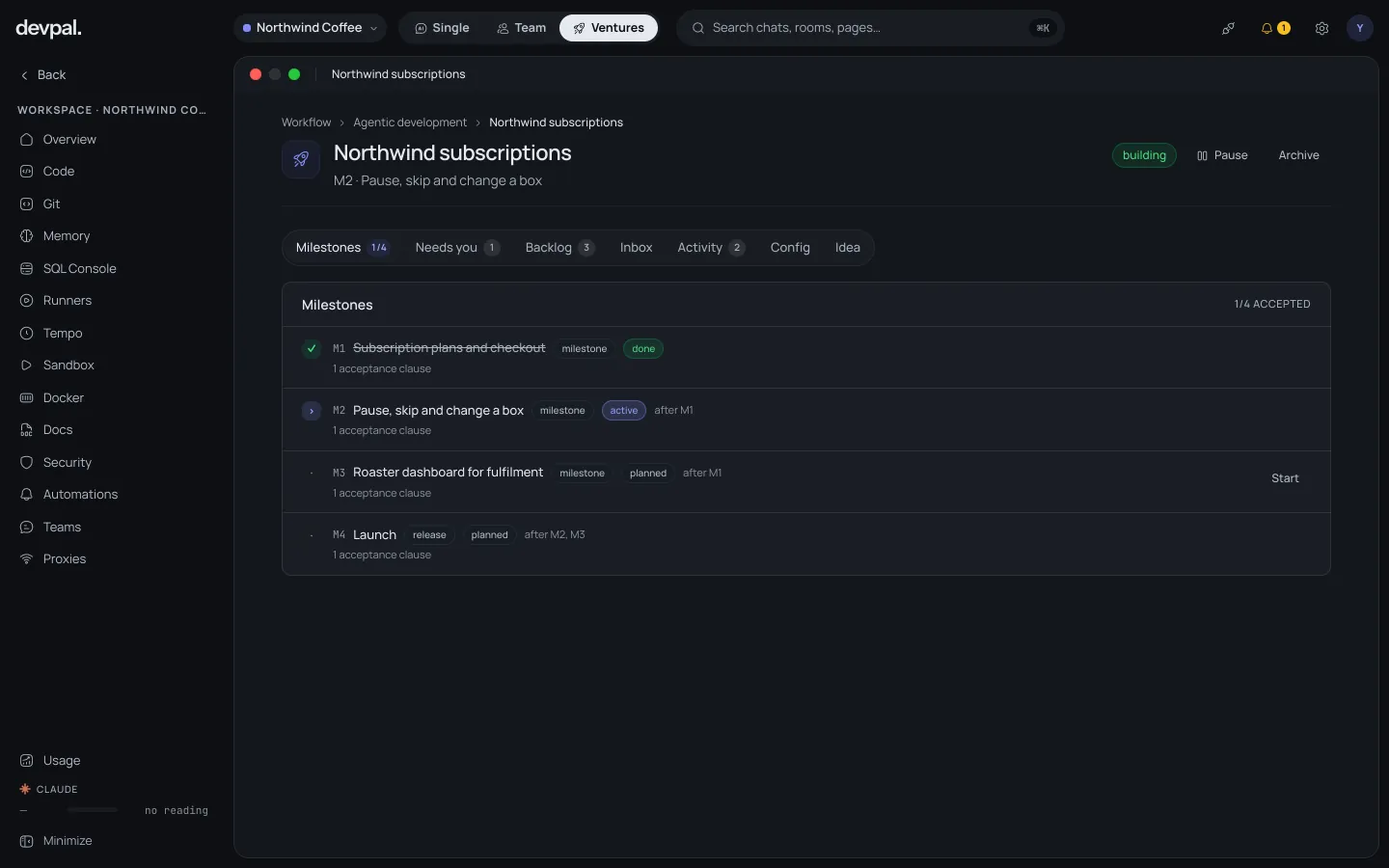
M2 Loyalty points is accepted and committed. Starting M3 Store finder.
One question for you: should points expire after a year?

Precheck: 2 new security advisories
Agent upgrades the two packages
Tests: 312 passed
Opened pull request #482
Handover written for the next cycle
Shift report · 03:08
2 advisories fixed, tests green, PR #482 waits for your review. Nothing needs you tonight.
The people are made up. The screens are what Devpal does.
Who it's for
The way software gets built is changing faster than ever. Devpal is for the people who change with it: who would rather direct a team of agents than retype the same prompt in a chat window, and who want to stay the engineer in charge while the routine runs by itself.
Hand the agent the bug, the endpoint, the migration. Review the diff, not the keystrokes.

Split a feature into a board, let specialists build it in parallel, and accept only what passes.

Turn an idea into milestones that keep shipping while you sell, sleep or think.

Put the nightly chores, the triage and the reports on a shift that runs itself.
The four flows
Each flow answers a different question: how big is the task, how many eyes does it need, and should it stop when you do? Pick the smallest flow that does the job — you can always move up.

Describe the bug, the feature or the refactor in plain words. The agent reads the repository, edits the files, runs the tests and shows you the diff. Most work never needs more than this — and that is the point: the fastest path from an idea to a commit, with you in control the whole way.
Best forbugs, features, refactors, reviews, questions about the code

For complex work that needs different roles and double checks. A Lead turns the goal into a task board, specialists build in parallel, and a separate Verifier accepts nothing without evidence: the check command has to pass and every acceptance clause has to be met.
Best formulti-part features, risky changes, anything that must be reviewed

Hand over an idea and a standing team takes it from there: a project manager plans the milestones, staffs a team room for each one and commits the accepted work; an assistant and a support desk handle the rest. It asks you only what it cannot decide — and you can answer from Telegram.
Best forside projects, MVPs, internal tools that should keep growing

Build a pipeline of agent steps from blocks on a canvas, or simply describe it and let Compose draw it. Then run it on a schedule, from a webhook or on demand: nightly dependency checks, release notes, ticket triage, health reports. Each run leaves notes for the next and reports where you want.
Best forrecurring work, automations, on-call routines
How to choose
Inside Devpal
Workspaces & projects
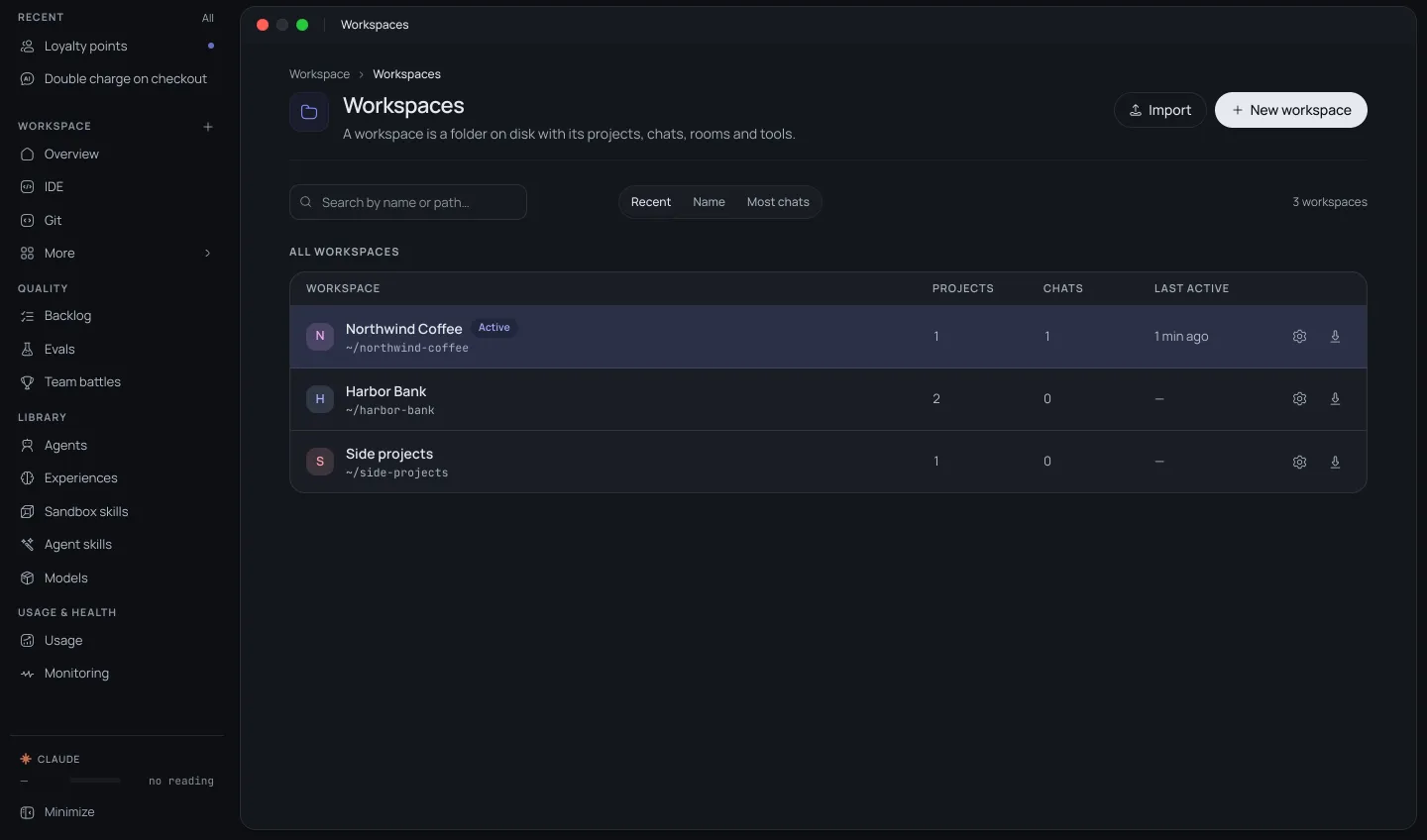
A workspace is a folder on your disk with the projects in it, plus everything the agents need for that work: its own MCP servers, tokens, memory and tools. Switch the workspace and every chat, room, venture and shift switches with it. The agents in one client's workspace see that client's Jira, never another's.

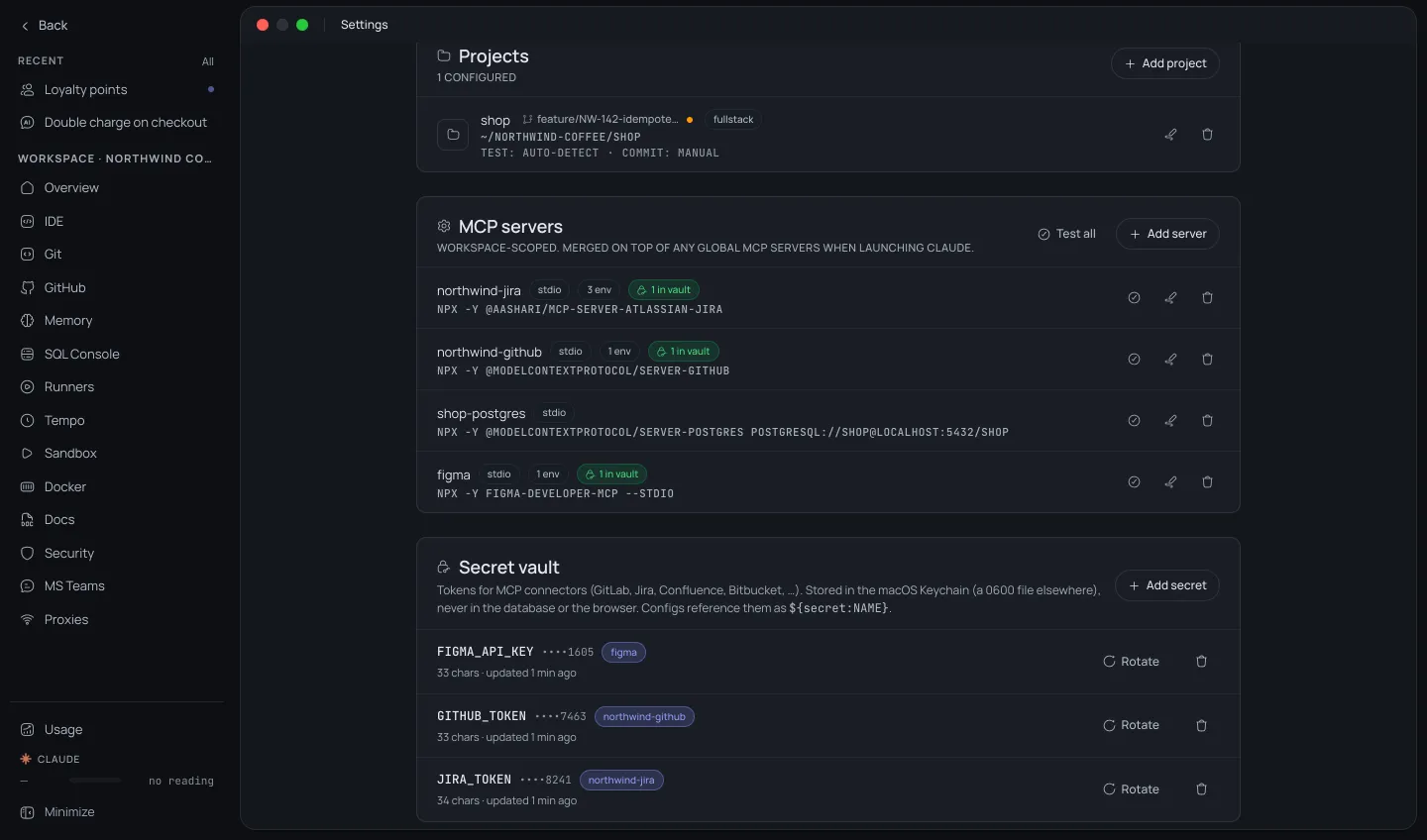
Projects
MCP servers this workspace only
Projects
MCP servers this workspace only
Projects
MCP servers this workspace only
Point Devpal at a folder. It finds the repositories in it, their tech stack and git remote, and suggests the connectors that fit.
Jira, GitLab, GitHub, Confluence, Figma, Postgres or any MCP server, set up per workspace on top of the global ones. Test each connection with one click.
Tokens live in the system keychain (or a file only you can read), never in the database; configs only name them. Rotate a token once and every server that uses it picks it up.
Conventions, gotchas and decisions that every chat in the workspace reads before it starts.
No Devpal account and no Devpal cloud. Workspaces, chats and memory stay in a database on your computer; tokens in the system keychain or a file only you can read.
Export a workspace as a bundle and import it on another machine. You see what will be created before anything is written.
Get started
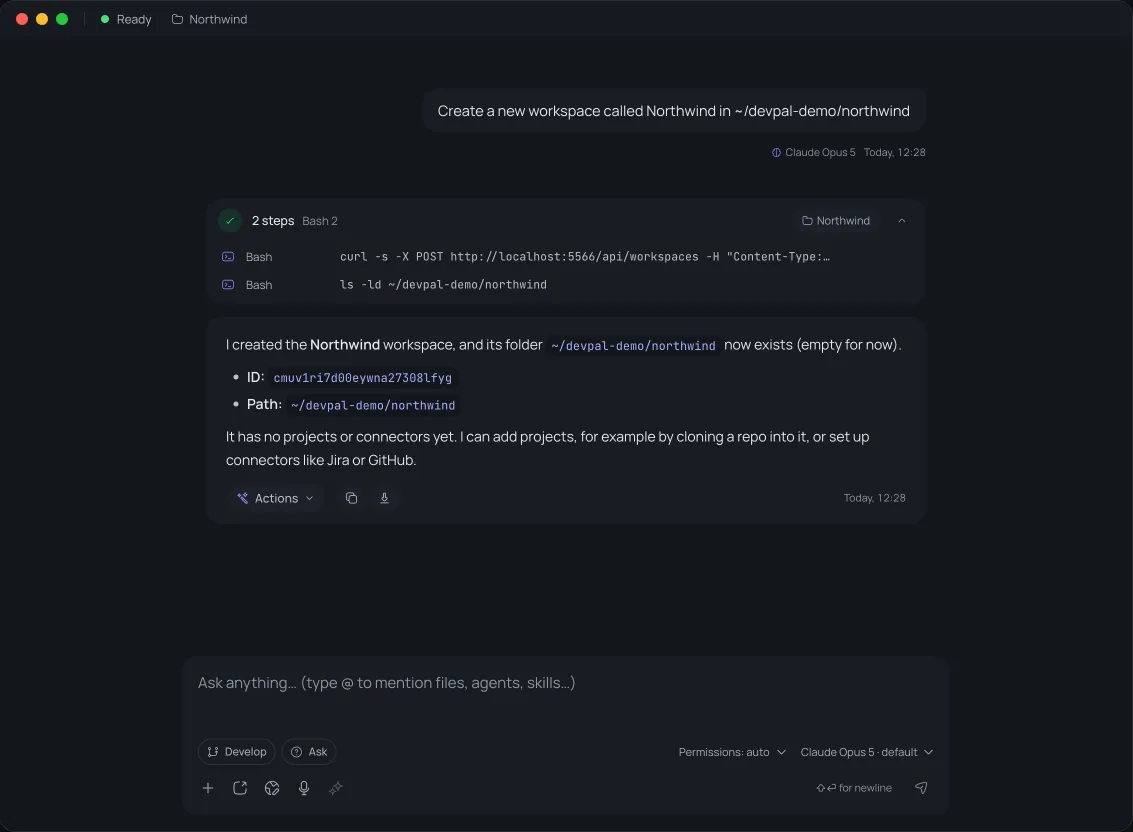
No settings pages to learn first. Open Devpal, type what you want into the chat on the start page, and Devpal does it: it creates the folders, clones the code and sets up the connectors. These are real screens from the steps below.
Create a new workspace called Northwind in ~/devpal-demo/northwind
Devpal creates the folder and the workspace. Then pick Northwind in the workspace switcher at the top left: every new chat, room and shift now works inside it.
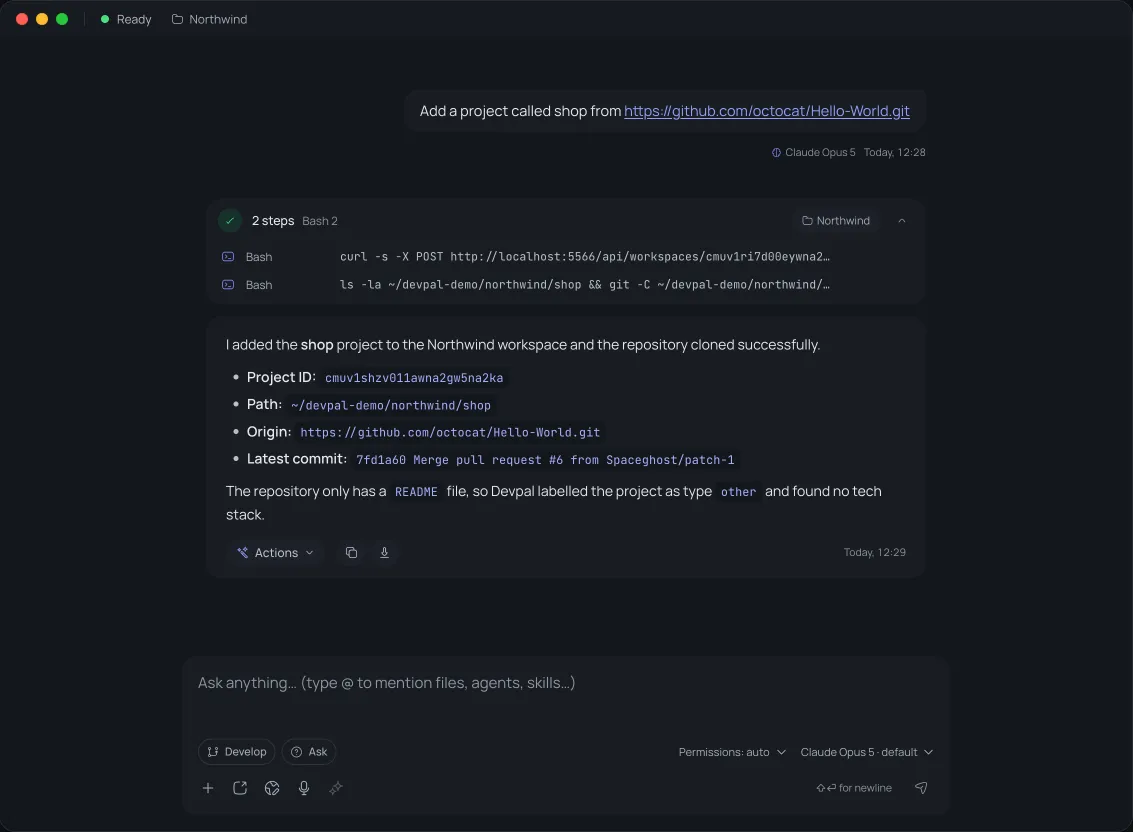
Add a project called shop from github.com/your-org/shop
Devpal clones the repository into the workspace and adds it as a project. Is the code already on your disk? Say where it is instead of giving a git URL.
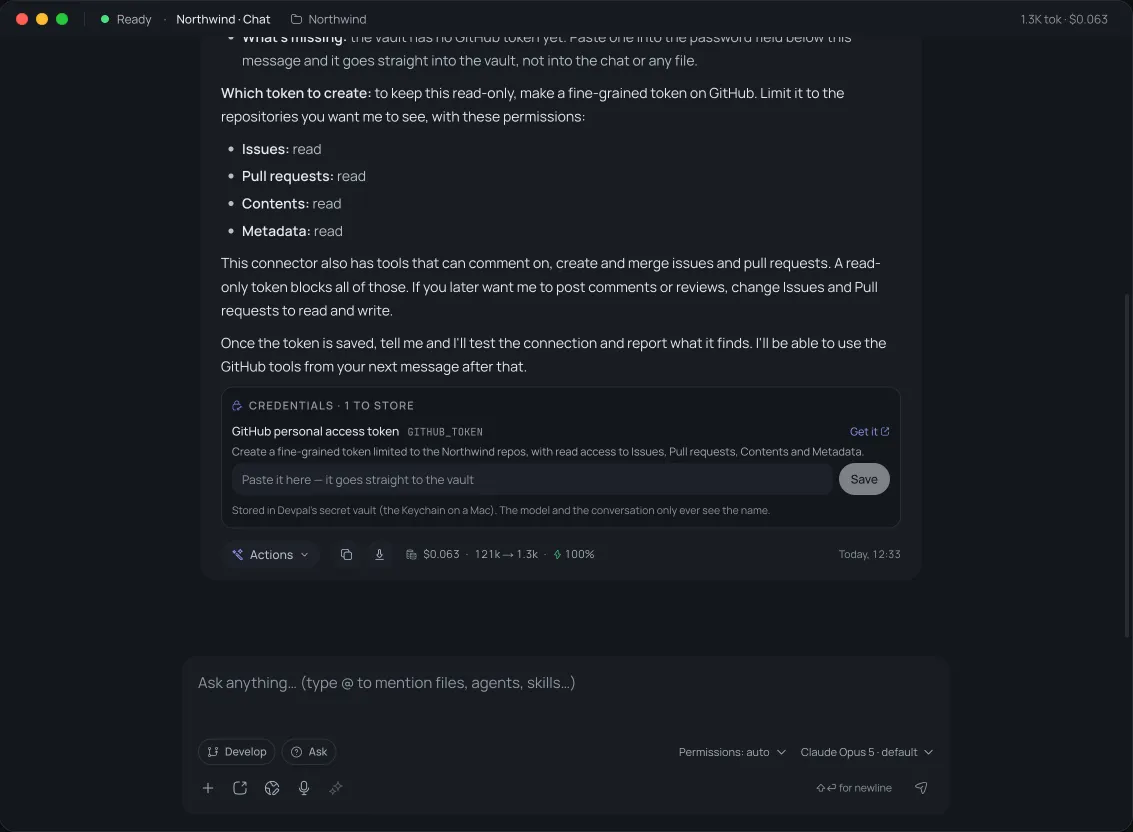
Connect GitHub to this workspace so you can read our issues and pull requests
Devpal adds the GitHub MCP server to this workspace and asks for the token in a password field under its reply. The token goes straight into your system keychain: the chat, the config and the model only ever see its name, GITHUB_TOKEN. Pasted a token into a message by mistake? Devpal moves it into the vault before the message is sent.
Save the token, tell Devpal, and it tests the connection; the GitHub tools are there from your next message. Jira, GitLab, Confluence, Figma and Postgres work the same way.
Built in
An agent's work still has to be read, tested, committed and run. So the tools you would otherwise keep open next to it are part of Devpal: an IDE, a git client and real terminals, all on the same workspace as your chats and rooms. Review what the agent did, fix the last line yourself and commit, without switching apps.
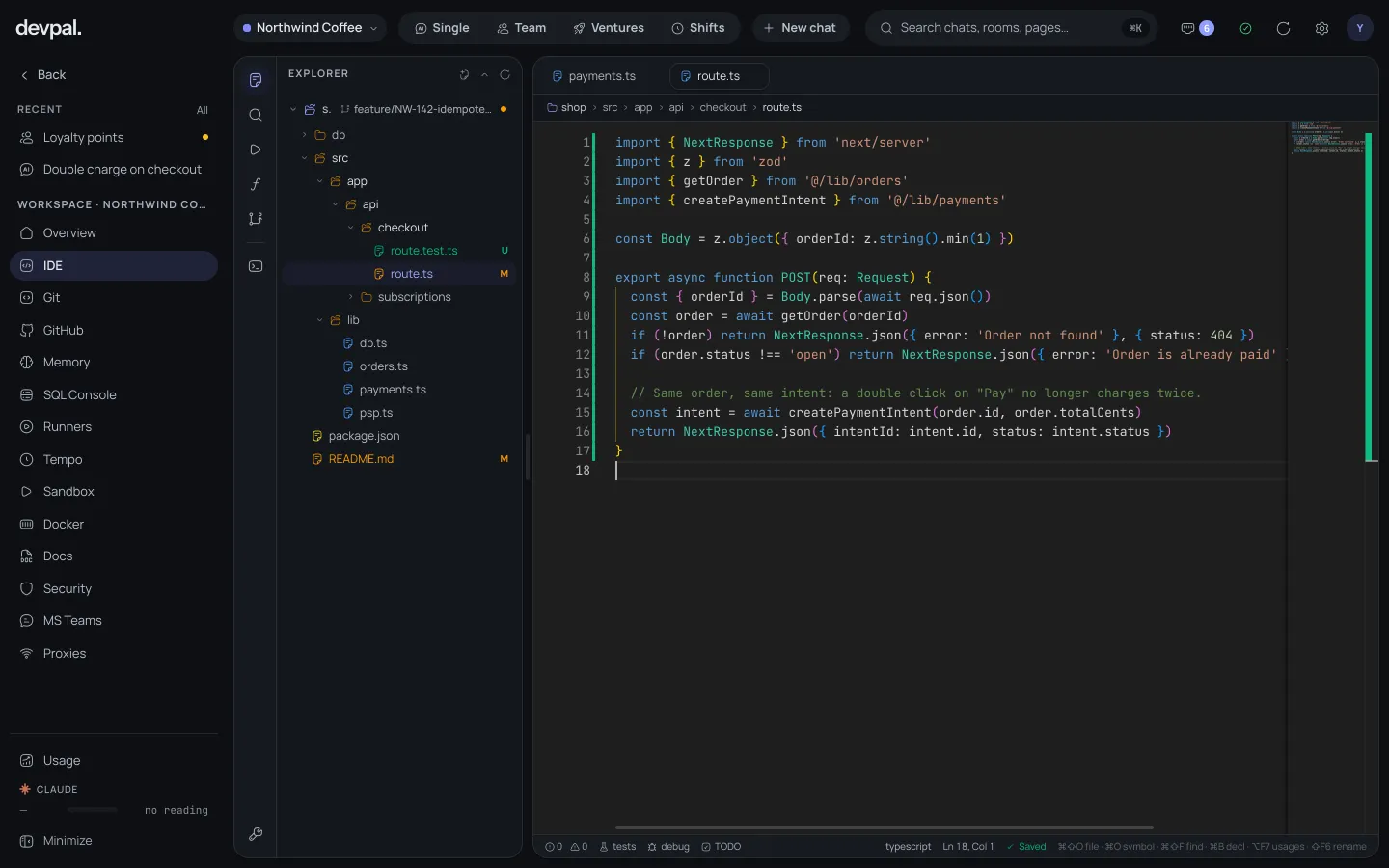
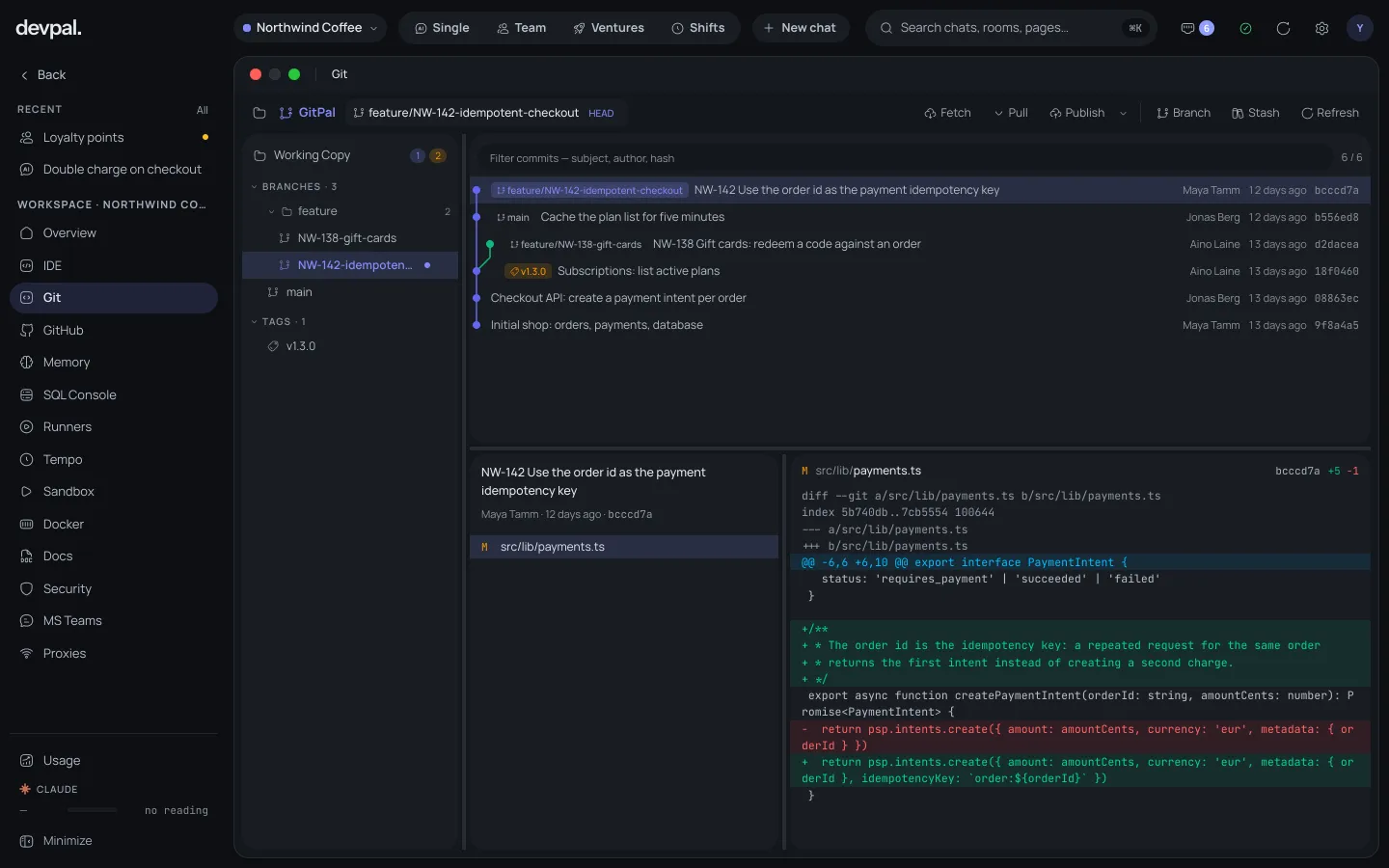
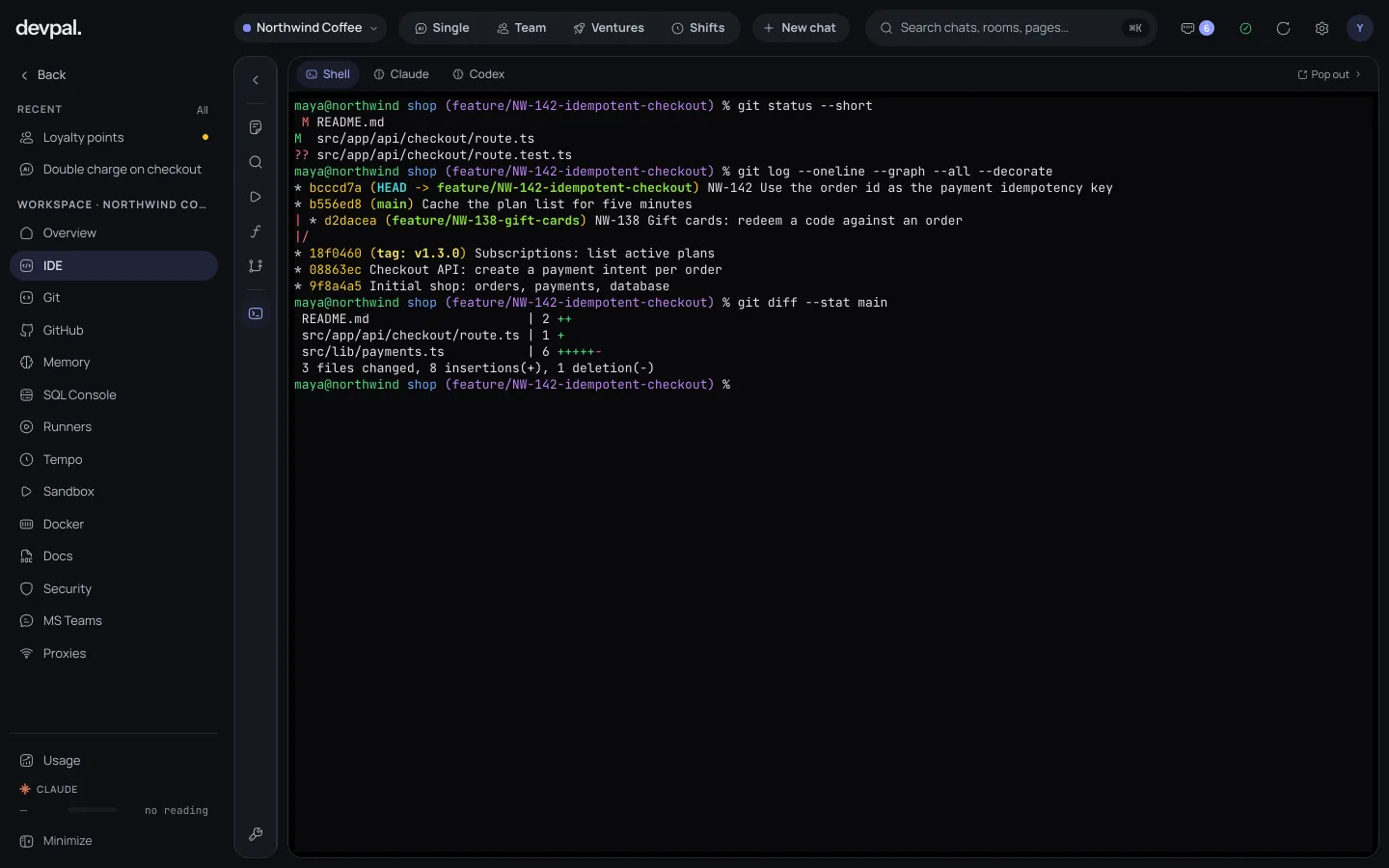
Make it yours
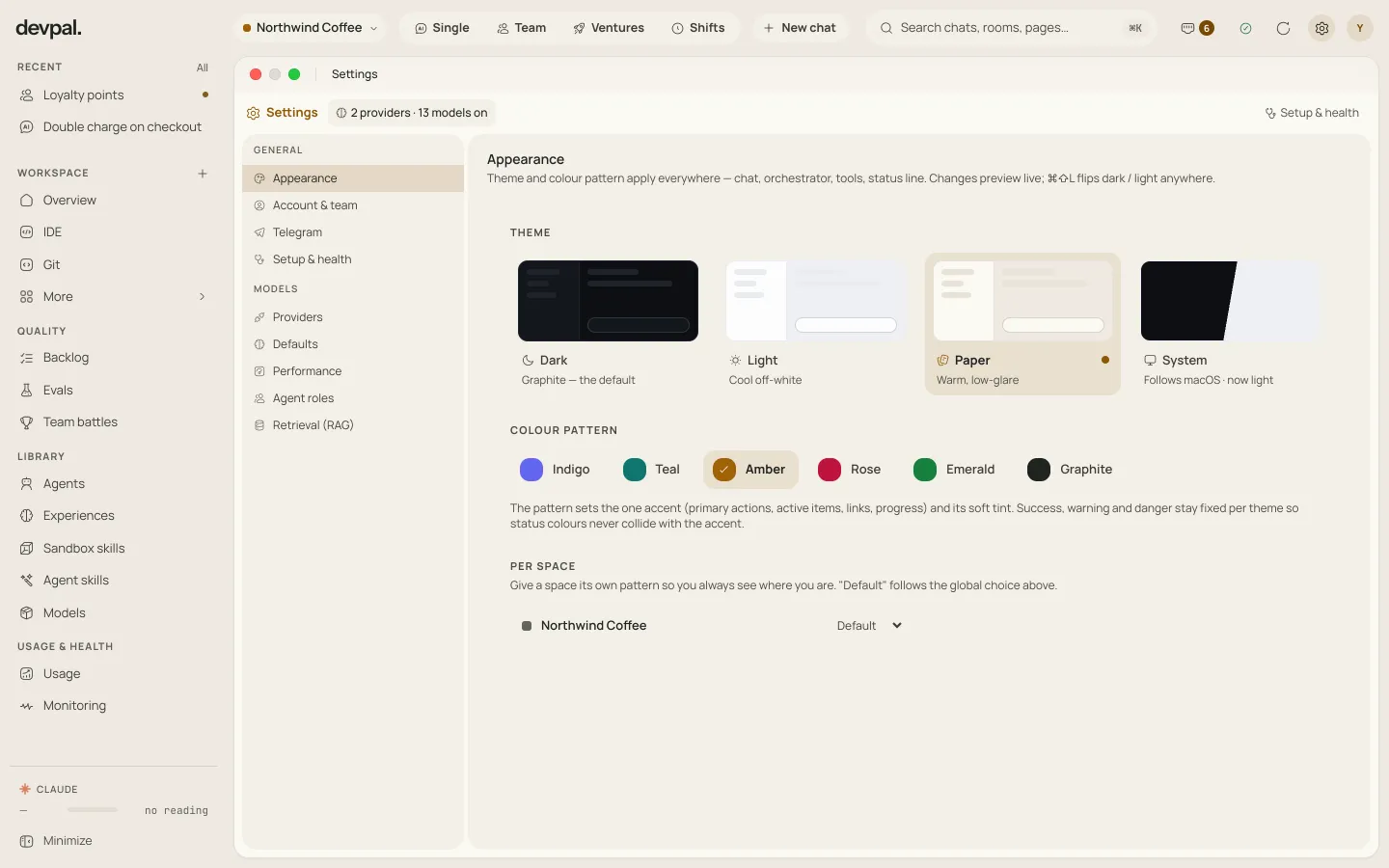
Pick a theme and an accent colour; the whole app follows, editor and terminal included. Give each workspace its own accent, and you always see at a glance which project you are in.
Themes
Accents
⌘⇧L flips between dark and light anywhere (Ctrl+Shift+L on Windows and Linux).
How work gets accepted
Every task is written with the clauses it has to meet.
Members claim tasks and work in their own sessions.
Your tests, build or linter run on the change.
A separate, read-only agent answers each clause.
Only then is it done — committed for you to merge.
Why Devpal exists
Devpal's creator, Vladimir Domashkin, spent many years as a full-stack developer: backend and frontend, databases and deployments, reviews, releases and the on-call nights in between. When AI agents became good enough to do real work, he did not want one more chat window. He wanted the processes he ran every day — the prompts he kept retyping, the reviews done by hand, the checks before a merge, the chores that came back every night — in one place, done by agents, checked properly.
Devpal is that place, turned into a product. Instead of a dozen tools glued together, one platform where agentic development covers the whole path: a quick fix in Single, a reviewed feature in Team, a product in Ventures, the recurring work in Shifts. So one engineer can finish what used to need a whole team — and still decide what gets merged.
Your models
Devpal is the orchestrator. The thinking is done by the models you already use, on your own account: Devpal does not resell model access and adds nothing to what your provider charges.
Devpal drives Claude Code and the Codex CLI with the logins already on your computer, and shows how much of each plan is left.
Anthropic, OpenAI, Gemini, OpenRouter, Mistral, DeepSeek, Groq or Together. Billed by the provider, and its model list keeps itself current.
Ollama, LM Studio or any OpenAI-compatible server. Prompts and code never leave your machine.
Under the hood
Devpal runs on your own computer. Your code stays on your disk and goes only where your agents send it.
Jira, GitHub, GitLab, Confluence, Figma and any MCP server. Tokens live in a secret vault, never in the database.
Lessons learned in one project are recalled in the next: gotchas, fixes, conventions.
How much of each subscription is left, always in view. When one runs out, the work moves on.
Benchmark models on tasks from your repositories, graded by the tests and a judge.
A new version shows its release notes; download it, skip it, or decide later.
Support Devpal
No plans, no seats, no features held back. Every flow and every tool is in the download. If Devpal saves you time, a donation keeps it independent and moving forward.

Donations pay for development time and keep the signed builds and updates coming for every platform.
Thank you for keeping Devpal going.

macOS Windows Linux